프로젝트 요약
- 목표: 두 개의 PNG 이미지(기존 메뉴 화면과 번역 화면)를 보고 AI Product Manager처럼 판단하고, 피드백과 개선 제안을 도출한 뒤, User Story를 작성하는 것.
진행 절차
- 이미지 분석 (Visual Analysis)
- UI 구성 요소 파악
- 사용 흐름 및 정보 구조 확인
- 문제점 또는 불편함 유도 포인트 도출
- 비판적 평가 (Critique & UX Heuristics)
- Nielsen의 10가지 UX 휴리스틱 중 적용 가능 항목으로 평가 가능
- 예: 일관성 부족, 가시성 문제, 탐색성 낮음 등
- 개선 제안 (Actionable Suggestions)
- UI 또는 정보 구조 개선
- 라벨링 방식, 메뉴 구조 개선 등
- 기술 구현 시 고려 사항 포함 (예: 번역 자동화, 데이터 연결 등)
- 우선순위 지정 (Prioritization)
- 개선안의 Impact vs Effort로 분류
- 간단한 UX 개선 vs 복잡한 기능 추가
- User Story 작성 (Agile 형식)
- 예:
- “As a restaurant owner, I want to organize my menu into clearer categories so that customers can find dishes faster.”
- “As a translator, I want to preview the translated menu in context so I can verify how it will appear to users.”
1. Google Drive 마운트 & 디렉토리 변경
- Google Drive를 마운트하고, 이미지가 저장된 폴더로 작업 디렉토리 이동
from google.colab import drive
drive.mount('/content/drive')

%cd '/content/drive/MyDrive/AI_Agents_Capstone/AI_Product_Manager' # 자신의 폴더 위치
2. 라이브러리 설치
- 프로젝트에 필요한 핵심 라이브러리 설치
!pip install crewai
!pip install crewai-tools
!pip install openai
3. API Key 불러오기 및 설정
from getpass import getpass
OPENAI_API_KEY = getpass("Enter your OpenAI API key:")
import os
os.environ["OPENAI_API_KEY"] = OPENAI_API_KEY4. 주요 라이브러리 불러오기
import os
from PIL import Image
from crewai_tools import VisionTool
from crewai import Agent, Task, Crew, Process
from langchain_openai import ChatOpenAI
from IPython.display import display, Markdown
5. Vision Tool 초기화
- 이미지 기반 분석에 사용될 VisionTool 초기화
vision_tool = VisionTool()6. 이미지 불러오기 (예: menu.png)
image_path = "menu.png"
image = Image.open(image_path)
display(image)
참고 사항
- 이미지 분석 → 개선점 도출 → 우선순위 분류 → User Story 작성이라는 Product Manager의 전형적인 흐름을 AI로 재현하는 실습입니다.
- VisionTool은 이미지의 레이아웃, 텍스트, 구성요소 등을 인식하는 데 사용됩니다.
Agent 1 - 이미지 설명 에이전트 구성 및 실행
- menu.png 이미지를 시각적으로 분석하고, 디지털 메뉴 UI의 구성요소 및 목적을 명확히 설명하는 에이전트를 정의
주요 구성 요소
1. Agent 정의 (description_agent)
description_agent = Agent(
    role="이미지 설명 에이전트",
    goal=f"B2B 디지털 메뉴 스타트업의 디지털 이미지 {image_path}를 가시적인 요소, 디자인, 의도된 목적을 포함하여 완전히
    설명하십시오.",
    backstory="당신은 이미지를 분석하고 그 목적을 자세히 설명할 책임이 있습니다.",
    verbose=True,
    tools=[vision_tool],
    llm=ChatOpenAI(model="gpt-4-0125-preview", temperature=0.8)
)
2. Task 정의 (description_task)
description_task = Task(
    description="디지털 이미지를 식별하고 완전히 설명하며 그 목적을 설명합니다.",
    expected_output="이미지와 그 목적에 대한 완전한 설명.",
    agent=description_agent
)
3. Crew 정의 및 실행
crew = Crew(
    agents=[description_agent],
    tasks=[description_task],
    verbose=True,
    process=Process.sequential
)

result = crew.kickoff()
출력 예시
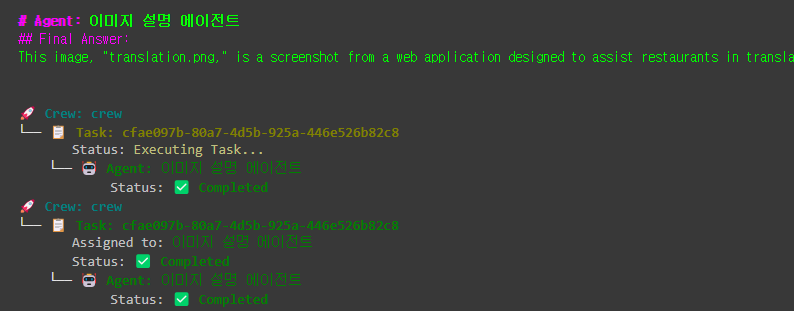
Agent #2 - 비평 에이전트
목적
- *이미지 설명 에이전트의 출력(Context)을 기반으로, 메뉴 UI 디자인의 문제점과 개선 필요 요소를 도출
- 예: 버튼 라벨 부족, 색상 피드백 부족, 직관적 UI 미비 등
구성 코드
1. 에이전트 정의 – critique_agent
critique_agent = Agent(
    role="UX 비평 에이전트",
    goal=f"이미지 설명 에이전트가 제공한 설명과 의도된 목적을 바탕으로 이미지 {image_path}를 평론합니다.",
    backstory="이미지, 특히 UX 디자인을 비판적으로 평가하고 결함, 약점 및 개선 영역을 지적합니다.",
    verbose=True,
    tools=[vision_tool],
    llm=ChatOpenAI(model="gpt-4-0125-preview", temperature=0.7)
)
2. 태스크 정의 – critique_task
critique_task = Task(
    description="이미지의 설명과 의도된 목적을 바탕으로 비판적으로 분석합니다.",
    expected_output="이미지에 대한 완전한 비판, 디자인 결함 및 개선 영역 강조.",
    agent=critique_agent,
    context=[description_task]
)
3. 크루 업데이트 및 실행
crew = Crew(
    agents=[description_agent, critique_agent],
    tasks=[description_task, critique_task],
    verbose=True,
    process=Process.sequential
)

result = crew.kickoff()
출력 예시

Agent # 3 - UX 제안 에이전트
- 설명 에이전트와 비판 에이전트의 출력을 바탕으로, 웹앱 UI에 대한 실질적인 UX 개선 방안 제시
- 예: 드래그 앤 드롭 정렬, QR 코드 커스터마이징, 카테고리 시각화 개선 등
구성된 코드
1. 에이전트 정의 – ux_agent
ux_agent = Agent(
    role="UX 제안 에이전트",
    goal=f"이미지 설명 에이전트와 UX 비평 에이전트의 컨텍스트를 기반으로 이미지 {image_path}에 대한 디자인 및 레이아웃 제안을 제공합니다.",
    backstory="너는 웹사이트 이미지 디자인을 개선하기 위한 실행 가능한 제안을 전문적으로 제공합니다.",
    verbose=True,
    tools=[vision_tool],
    llm=ChatOpenAI(model="gpt-4-0125-preview", temperature=0.7)
)
2. 태스크 정의 – ux_task
ux_task = Task(
    description="설명 및 비평 에이전트의 맥락을 바탕으로 이미지 디자인과 레이아웃을 개선하기 위한 제안을 제공합니다.",
    expected_output="이미지의 목적과 비판에 따라 이미지 디자인과 레이아웃을 개선하기 위한 실행 가능한 제안 목록입니다.",
    agent=ux_agent,
    context=[description_task, critique_task]
)
3. 크루 업데이트 및 실행
crew = Crew(
    agents=[description_agent, critique_agent, ux_agent],
    tasks=[description_task, critique_task, ux_task],
    verbose=True,
    process=Process.sequential
)

result = crew.kickoff()
출력

Agent #4 - AI Product Manager
- UX 제안 에이전트의 출력을 바탕으로 User Story 작성
- 개선 항목의 고객 영향력 기준 우선순위화
구성된 코드
1. 에이전트 정의 – pm_agent
pm_agent = Agent(
    role="AI 제품 관리자",
    goal=f"이미지 {image_path}에 대한 UX 에이전트의 제안을 바탕으로 사용자 스토리를 작성하고, 가능성 있는 고객 피드백을 바탕으로 제안의 우선순위를 정합니다.",
    backstory="디지털 회사의 제품 관리자로서 제안의 우선순위를 정하고 개선 사항을 안내하기 위해 사용자 스토리를 작성합니다. 이미지 {image_path}에 대한 UX 에이전트의 제안을 바탕으로 사용자 스토리를 작성하고, 가능성 있는 고객 피드백을 바탕으로 제안의 우선순위를 정합니다.",
    verbose=True,
    tools=[vision_tool],
    llm=ChatOpenAI(model="gpt-4-0125-preview", temperature=0.7)
)
2. 태스크 정의 – pm_task
pm_task = Task(
    description="이미지에 대한 UX 에이전트의 제안을 바탕으로 사용자 스토리를 작성하고, 가능성 있는 고객 피드백을 바탕으로 제안의 우선순위를 정합니다.",
    expected_output="고객에게 예상되는 영향과 사용자 사례를 바탕으로 우선순위를 정한 개선 사항 목록입니다.",
    agent=pm_agent,
    context=[description_task, critique_task, ux_task]
)
출력 예시

최종 마무리
각 에이전트에서 출력을 추출해 표시합니다. 각 작업의 출력을 반복해 마크다운 형식을 사용해 Jupyter 노트북에서 보기 좋게 만듭니다.
# 추출해서 표시
for idx, task_output in enumerate(result.tasks_output):
  display(Markdown(f"### Agent {idx+1}: {task_output.agent}\n{task_output.raw}"))
결과물
Agent 1: 이미지 설명 에이전트
The image "translation.png" depicts a user interface designed for translating restaurant menu items within a digital platform called "Bitte." It is part of a restaurant management system that allows users to translate food menu items between multiple languages. The interface features sections for different categories of food such as "Entradas" (appetizers) and "Pizzas," where specific items like "Bruschetta al Pomodoro" and "Margherita" are listed. Users are provided with input fields to enter translations for menu items in both Portuguese and English. The primary purpose of this interface is to facilitate the accurate translation of menu items for multilingual menus, enhancing the dining experience by making it accessible to a wider audience. This tool is especially useful for restaurants that cater to an international clientele, ensuring that all patrons can understand the menu offerings regardless of language barriers.
Agent 2: UX 비평 에이전트
The UX design of the "Bitte" translation tool interface, as depicted in the image, has several strengths and areas for improvement:
- Navigation Clarity: The navigation panel on the left is well-organized, offering clear and distinct options such as "Restaurants," "Edit menu," "Print menu," and "Translation Center." This organization fosters easy navigation for users who are managing restaurant menus and translations.
- Focused Task Area: The main task area is dedicated to translating menu items. It is beneficial for users to have a focused space that clearly lists menu categories like "Entradas" (appetizers) and "Pizzas," with corresponding fields for translations. This helps users to stay on task without distraction.
- Language Selection and Saving: The inclusion of options to select the language and save translations is essential. However, the interface could be enhanced by providing real-time translation previews or examples to help users ensure accuracy before saving.
- Design and Aesthetics: While functional, the design appears to be utilitarian, which might not be engaging. A more visually appealing design with the use of color coding or icons might enhance user engagement and make the interface more intuitive.
- Accessibility: Ensuring that the text is readable and the interface is accessible to all users, including those with disabilities, is crucial. Adding features like keyboard shortcuts or voice command options could broaden usability.
- Feedback Mechanism: There is no apparent feedback mechanism for errors or successful actions, such as confirming a translation save. Implementing visual cues or notifications would enhance user confidence and satisfaction.
- Scalability and Flexibility: As restaurants often deal with extensive menus, ensuring that the interface can handle large data efficiently without clutter or slow performance is important. Features like search functionality or pagination might be useful.
- Integration with Other Tools: If this tool integrates with other restaurant management systems, clear pathways or links to those systems within the interface can streamline the workflow for users.
In summary, while the "Bitte" translation tool's interface is functional, there is potential to improve the user experience by focusing on aesthetic enhancements, increased accessibility, real-time feedback, and integration with other systems.
Agent 3: UX 제안 에이전트
Here are actionable suggestions to improve the design and layout of the "Bitte" translation tool interface:
- Enhanced Visual Design:
- Introduce a more visually engaging color scheme with consistent branding colors to make the interface more appealing and intuitive.
- Use icons alongside text in the navigation panel for better visual guidance and quicker identification of functions.
- Improved User Engagement:
- Implement a color-coding system for different menu categories (e.g., unique colors for "Entradas," "Pizzas," etc.) to quickly differentiate sections.
- Add interactive elements like hover effects or animations for buttons and fields to provide visual feedback.
- Real-Time Translation Feedback:
- Incorporate a real-time preview feature where users can see translated menu items as they type, ensuring accuracy before saving.
- Provide machine translation suggestions that can be edited by users, facilitating faster initial translations.
- Accessibility Enhancements:
- Increase font sizes and contrast to enhance readability, especially important for users with visual impairments.
- Include keyboard shortcuts for commonly used actions (e.g., saving translations, switching languages) to improve accessibility and efficiency.
- Offer a text-to-speech option to read translations aloud, aiding users with different accessibility needs.
- User Feedback Mechanism:
- Introduce a notification system that confirms successful actions (e.g., "Translation saved successfully") or displays error messages (e.g., "Please complete all fields").
- Add a progress indicator showing the completion percentage of translations, motivating users to finish the task.
- Scalability and Flexibility:
- Implement a search bar to quickly find specific menu items for translation, which is useful for extensive menus.
- Allow users to filter menu items by category or language to streamline the translation process.
- Integration and Collaboration:
- Provide clear links or pathways to other integrated systems within the restaurant management suite, enhancing workflow efficiency.
- Offer a collaborative feature where multiple users can work on translations simultaneously, with real-time updates.
By focusing on these improvements, the "Bitte" translation tool can offer a more engaging, efficient, and user-friendly experience for managing multilingual restaurant menus.
Agent 4: AI 제품 매니저
User Story: As a restaurant manager using the "Bitte" translation tool, I want an intuitive and engaging interface that allows me to efficiently translate menu items into multiple languages, so that I can provide a seamless dining experience for my international customers, ensuring they can easily understand our menu offerings.
Prioritized Improvements:
- Real-Time Translation Feedback (High Priority):
- User Scenario: A manager enters translations and sees immediate previews, which helps ensure accuracy without needing to save and check separately.
- Customer Impact: Reduces errors and increases confidence in the translation process, directly affecting customer satisfaction.
- Enhanced Visual Design (High Priority):
- User Scenario: The manager navigates a visually appealing and color-coded interface that aids in quick identification of tasks and improves usability.
- Customer Impact: Increased user engagement with the tool, leading to more efficient menu management and an improved customer dining experience.
- User Feedback Mechanism (Medium Priority):
- User Scenario: After saving a translation, the manager receives a confirmation notification, ensuring that actions are successfully completed.
- Customer Impact: Builds user confidence and reduces uncertainty about whether translations have been properly saved.
- Accessibility Enhancements (Medium Priority):
- User Scenario: A manager with visual impairments uses keyboard shortcuts and text-to-speech features to navigate and translate menu items more easily.
- Customer Impact: Makes the tool more inclusive, allowing a wider range of users to manage translations effectively.
- Scalability and Flexibility (Low Priority):
- User Scenario: The manager can easily search for specific items and filter by category, making it straightforward to manage large menus.
- Customer Impact: While beneficial, it is less critical than ensuring accurate translations and intuitive design.
- Integration and Collaboration (Low Priority):
- User Scenario: Multiple managers collaboratively edit translations, with changes updated in real-time.
- Customer Impact: Streamlines workflow in larger organizations, but less impactful than individual usability improvements.
By focusing on real-time feedback and visual design, the "Bitte" translation tool can significantly enhance the user experience, leading to more accurate translations and improved customer satisfaction.
'RAG' 카테고리의 다른 글
| Fine-Tuning GPT-4o (1) | 2025.05.05 |
|---|---|
| OpenAI Swarm & AI Agents (2) | 2025.05.04 |
| Crew AI 실습 (0) | 2025.05.02 |
| AI Agents with CrewAI (0) | 2025.05.02 |
| Agentic RAG : AI Agents for RAG (1) | 2025.05.02 |